Replacing Microsoft Teams with Nextcloud: A Step-by-Step Guide

Yes, a team can replace Microsoft Teams with Nextcloud. Nextcloud Talk handles chat, audio and video calls, and screen sharing, while Files, Calendar and Contacts take over the roles of OneDrive, SharePoint and the Outlook calendar. On a private server hosted in France, your conversations and documents stay with you. This guide maps each feature, explains the infrastructure group video calls need, and then walks through installation, migration and rollout to your team.
Key takeaways:
- Since September 12, 2025, Microsoft's commitments to the European Commission have been legally binding: it must offer Microsoft 365 without Teams and guarantee interoperability and data portability for ten years.
- The French government is rolling out its sovereign tool, Visio, across its departments by 2027. Leaving Teams is now a common move, not a fringe gamble.
- Nextcloud covers the main Teams use cases: Talk for chat and video calls, Files for documents, and Calendar and Contacts over CalDAV/CardDAV.
- For group calls, plan for a high-performance backend and a TURN server. According to the Nextcloud Talk documentation, the backend cuts upload bandwidth by 50% once a call has three or more participants.
- To make the switch work, start with a pilot group, migrate files and calendars first, then install the official apps on every computer and smartphone.
Table of Contents
- Why are French teams leaving Microsoft Teams?
- Can Nextcloud really replace every Teams feature?
- What do you need for reliable group video calls?
- How do you install Nextcloud on a Yundera private server?
- How should you organize your team's accounts, groups and conversations?
- How do you migrate files, calendars and contacts from Microsoft 365?
- How do you set up your team's computers and smartphones?
- How do you make the switch without losing your team's buy-in?
- Yundera: Nextcloud and Talk ready to use on your private server
- The most common mistakes when leaving Teams
- Sources
- Frequently Asked Questions
Why are French teams leaving Microsoft Teams?
French teams are leaving Microsoft Teams for three main reasons: pressure from Brussels has opened up the market, the public sector is leading by example, and the GDPR requires every transfer of data outside the European Union to be properly safeguarded.
- Teams is no longer forced on you: on September 12, 2025, the European Commission accepted Microsoft's commitments in the Teams tying case. For seven years, Microsoft must offer Office 365 and Microsoft 365 without Teams at a lower price, and its interoperability and data portability obligations run for ten years.
- The government is switching tools: the French administration is rolling out Visio across all departments by 2027. When the plan was announced, 40,000 civil servants were already using the tool, out of a target of 200,000, and it is hosted by a SecNumCloud-certified provider. The CNRS is also replacing its Zoom licenses.
- The GDPR restricts transfers: according to the CNIL, personal data can only leave the EU under an adequacy decision from the Commission (Article 45) or, failing that, with appropriate safeguards such as standard contractual clauses (Article 46). Every tool hosted outside the EU therefore adds a legal check you have to document.
Teams is still an effective tool. But for an SMB, a professional firm or a nonprofit, keeping conversations and documents on a server in France simplifies compliance and reduces dependence on a single vendor. To understand what US law actually allows, read our article on the Cloud Act and business data.
Can Nextcloud really replace every Teams feature?
For most of a team's day-to-day work, yes. Every major Teams use case has an equivalent in Nextcloud. However, not every module is enabled out of the box, and some advanced tools in the Microsoft ecosystem have no direct replacement.
- Teams chats and channels: Nextcloud Talk handles one-on-one and group chat, audio and video calls, and screen sharing.
- OneDrive and SharePoint files: Nextcloud Files stores your documents. Group shared folders replace team spaces, and syncing works through the desktop client, the Android app or the iOS app.
- Outlook calendar: Nextcloud Calendar runs on a CalDAV server, as described in the Nextcloud user manual, and syncs with phone and desktop calendars.
- Address book: Contacts runs on CardDAV, which is also an open standard.
- Planner: Deck provides column-based task boards with cards, due dates and assignees.
- Word and Excel online: Nextcloud Office lets several people edit documents together, right in the browser.
The limits mostly come from how deeply Teams is integrated into Microsoft 365: third-party connectors, automations, and business apps built into channels. If your team relies on one of these tools, find an equivalent before you migrate, or plan to keep it separately.
Pro tip: for one week, write down what your team actually does in Teams. Most small organizations only use chat, video calls, file sharing and calendars, which is exactly what Nextcloud covers.
What do you need for reliable group video calls?
Reliable group video calls with Nextcloud Talk need three building blocks: Nextcloud with Talk, a high-performance backend to distribute video streams, and a STUN/TURN server so everyone can join the call, whatever network they're on.
Without a backend, Talk runs peer-to-peer: each participant sends their video stream to every other participant. That works for a one-on-one call, but everyone's connection quickly gets saturated as the group grows.
- The high-performance backend (HPB): the Nextcloud Talk documentation describes it as optional but useful from three participants up, because it cuts the upload bandwidth required by 50%. Some features, such as typing indicators, depend on it.
- Its two components: a signaling server, which coordinates participants joining and the state of the call, and a WebRTC media gateway, which receives each stream only once and forwards it to everyone else.
- The STUN/TURN server: according to the same documentation, most installations need one so people can join a call from a restricted or mobile network, such as behind a client's firewall, on hotel Wi-Fi or over 4G.
This is the most technical part of a self-hosted Nextcloud: you have to deploy several services, open the right ports and share secrets between them. DIY installations often fail here, with calls that work for two people but drop with five, or participants stuck on a black screen.
Pro tip: before rolling it out widely, test a call with at least four people, including one on 4G and one behind a corporate network. It's the best way to check that the HPB and the TURN server are doing their job.
How do you install Nextcloud on a Yundera private server?
On a managed private server, you install Nextcloud in one click from the app store, and group video calls work with no network configuration at all. It takes three steps.
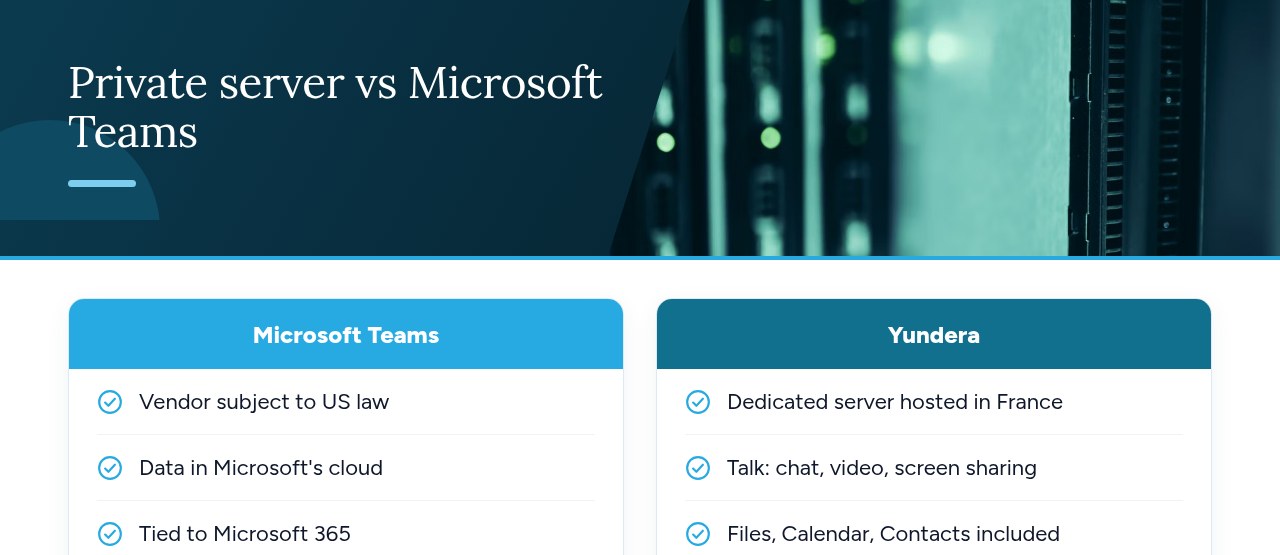
- Install Nextcloud: open your server's app store, select Nextcloud and start the installation. The app is then available over HTTPS on your own domain, with no static IP, no port forwarding and no certificates to manage. Files, Calendar and Contacts are included from the start.
- Check Talk: log in with the admin account and open Talk. It's already enabled, with team chat, audio and video calls, and screen sharing. The high-performance backend described above (signaling server, Janus SFU and TURN server) is installed and configured automatically along with Nextcloud: there are no services to deploy and no secrets to enter.
- Add the modules you need: from Nextcloud's Apps menu, install Deck if your team used Planner, and Nextcloud Office if people co-edit documents in the browser.
At this point, your environment already replaces the core building blocks of Teams. All that's left is to create accounts and organize your team's spaces, which the next section covers.
Pro tip: before inviting anyone, run a test call with two or three people you know, including one on a smartphone over 4G. In ten minutes, you'll confirm external access, audio, video and screen sharing.
How should you organize your team's accounts, groups and conversations?
To organize your team in Nextcloud, create one account per person, group accounts by department or project, then link each group to a shared folder and a Talk conversation. Follow the same logic as Teams without copying every team and channel.
- One account per person: no shared accounts like “reception” or “intern”. That way, every action stays traceable, and when someone leaves, you only need to disable one account.
- Groups by department or project: a Nextcloud group replaces a Teams team. One person can belong to several groups.
- One shared folder per group: share the folder with the whole group rather than with each member. Newcomers get access automatically as soon as they're added to the group.
- Group Talk conversations: add the group itself as a participant. The conversation replaces the team and its main channels.
- Public conversations via link: for a one-off client or contractor, create a dedicated conversation accessible by link instead of opening an account.
Adopt a simple, stable naming convention, for example equipe-compta, projet-site-web or client-durand. At first, stick to a handful of conversations: you can always add more once the need is clear. Finally, appoint one or two administrators, no more, to create accounts and manage groups.
To decide who can access what and review permissions regularly, see our guide to cloud access control.
How do you migrate files, calendars and contacts from Microsoft 365?
To migrate from Microsoft 365, handle files, calendars and contacts separately, each in an open format, and archive your chat history rather than trying to transfer it.
- Files: download each team's OneDrive and SharePoint libraries, then upload them to the Nextcloud group folders using the desktop sync client. Once the upload is done, check the folder structure, long file names or names with accented characters, and sharing permissions: these aren't carried over automatically and must match the groups you created in the previous step.
- Calendars: export each Outlook calendar in
.icsformat, then import it into Nextcloud Calendar. Because Calendar runs on CalDAV, as described in the Nextcloud user manual, the imported events then show up on synced phones and desktop apps. - Contacts: export your address book, preferably in vCard format (
.vcf), then import it into Contacts. - Chat history: it can't simply be moved from one tool to another. Export or save the conversations that matter (decisions, instructions, attachments), store them in an archive folder, then start fresh with new Talk conversations.
The Microsoft commitments accepted by Brussels include a ten-year data portability component, which should make leaving easier. Still, check what your subscription actually lets you export before you cancel.
Pro tip: keep your Microsoft 365 subscription active until the migration is complete, read-only if possible, and only cancel it once you've compared the number of files, events and contacts on each side.
How do you set up your team's computers and smartphones?
To set up your team, install three kinds of apps: the Nextcloud desktop client on every computer, the Nextcloud and Nextcloud Talk apps on every smartphone, and CalDAV/CardDAV sync so calendars and contacts show up in the apps people already use.
- Computers: the Nextcloud desktop client syncs files on Windows, macOS and Linux. Group folders appear as local folders, just like OneDrive. Talk, Calendar and Deck run in the browser with nothing to install.
- Smartphones: the Nextcloud app provides access to files and can upload photos automatically. The Nextcloud Talk app handles chat, calls and screen sharing. Both are available on Android and iOS.
- Calendars and contacts: thanks to CalDAV and CardDAV, they sync with native apps. The Nextcloud user manual covers setup on Android, iOS, macOS, Thunderbird and Windows. On Android, you'll usually go through a sync app such as DAVx⁵.
Prepare a one-page setup sheet for everyone: the server address, app download links, login steps and the name of the go-to person to contact if something goes wrong. A short sheet heads off most first-week support requests.
Pro tip: the first time people open Talk on mobile, have them allow notifications and make sure battery saver mode isn't blocking them. Without notifications, incoming calls go unnoticed and the team quickly drifts back to the old tool.
How do you make the switch without losing your team's buy-in?
To make the switch succeed, go step by step: a pilot group, a short period running both tools with an announced end date, training focused on everyday tasks, and a clearly identified internal go-to person.
- Pilot group: for two to three weeks, have a few volunteers work exclusively in Nextcloud. Note where they get stuck and fix the configuration before expanding.
- Parallel period: open Nextcloud to the whole team while keeping Teams available, but set the date it will be shut off right from the start. Without a date, the old tool remains the path of least resistance.
- Short training: thirty minutes is often enough to cover starting a call, sharing your screen, sharing a folder and finding a file. Practice these tasks live rather than handing out a long manual.
- Internal go-to person: someone everyone knows answers questions and passes issues on to the administrators.
Also explain why you're changing tools. The CNIL recommends choosing video conferencing solutions that protect privacy, checking their security measures, such as encrypted communications, and reading the terms of use. These criteria give your team concrete reasons for the change, beyond simply breaking an old habit.
If your team communicates a lot with other organizations, Talk can be complemented by a Matrix server such as Synapse, which joins an open federated network, a bit like email.
Pro tip: hold the first team meeting of the parallel period on Talk, led by management. Nothing wins people over faster than seeing the tool work for everyone.
Yundera: Nextcloud and Talk ready to use on your private server
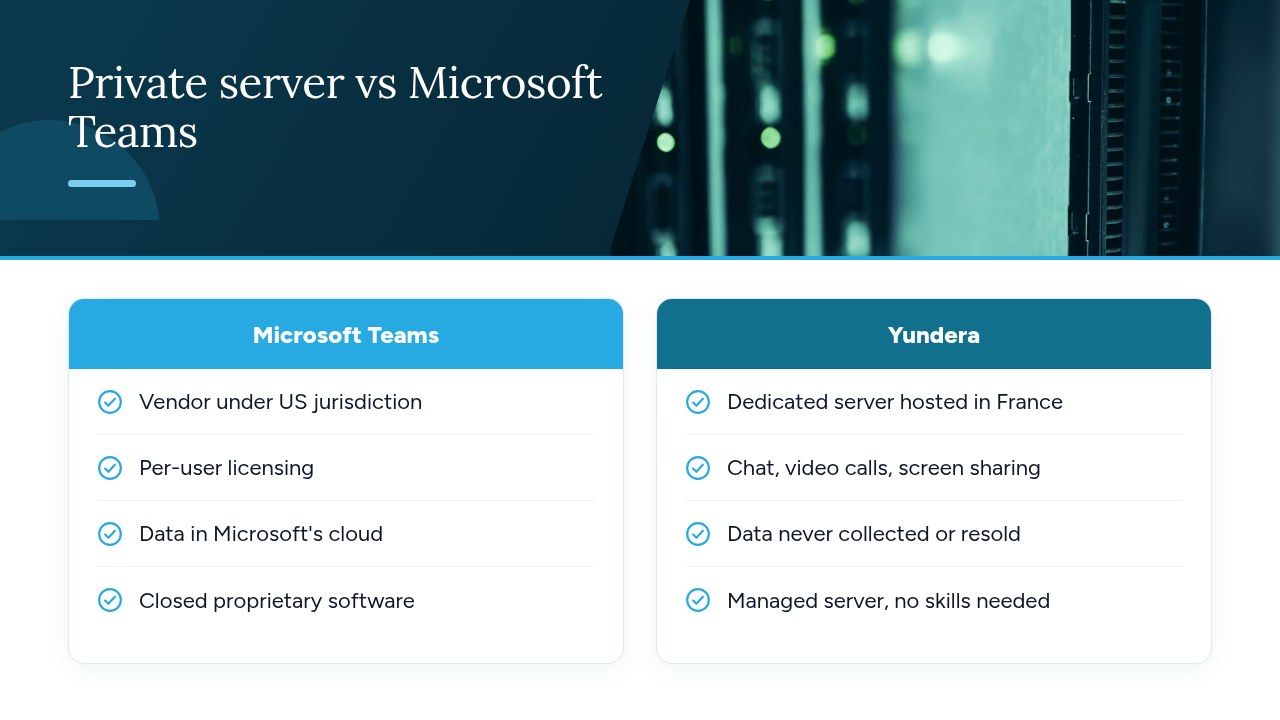
With Yundera, Nextcloud and Talk are ready to use. Yundera provides a managed private server, the Personal Cloud Server, hosted in France and dedicated to a single customer, where Nextcloud installs in one click from the app store. Talk is already enabled, with team chat, audio and video calls, and screen sharing. The trickiest step of a DIY installation is taken care of: the high-performance backend, meaning the signaling server, the Janus SFU and the TURN server, is installed and configured automatically with Nextcloud for group video calls.
Files, Calendar and Contacts are included. Deck and Nextcloud Office can be added from the Nextcloud app store. Every app is available on your own domain over HTTPS, with no static IP, no port forwarding and no certificates to manage, and your team uses the official Nextcloud and Nextcloud Talk apps on desktop, Android and iOS. Your data stays on your server: Yundera doesn't collect it or sell it. No technical skills are needed, since Yundera manages the server. If you often work with other organizations, Synapse, a Matrix server open to federation, also installs in one click. To compare with other options, see our overview of Microsoft Teams alternatives.
For plans and pricing, visit the Yundera private servers page.
The most common mistakes when leaving Teams
The most common mistakes when leaving Teams rarely have to do with the tool itself. They mostly come down to preparation and organization:
- No inventory: migrating without knowing what the team actually uses.
- Video calls without infrastructure: running group calls on a self-installed Nextcloud with no high-performance backend or TURN server, which leads to unstable calls.
- Moving everything: trying to bring over the entire chat history instead of archiving what matters.
- Cloning Teams: recreating dozens of channels nobody used.
- Forgetting mobile: no Talk app installed, or notifications turned off.
- A never-ending switch: a parallel period with no end date.
- Unchecked hosting: verifying neither where data is hosted nor the legal basis for transfers.
- No backups: neglecting to back up the new server, even though the 3-2-1 rule applies here too.
Checklist before shutting off Teams: use cases listed, four-person test call successful, files and calendars checked, apps installed on every computer and phone, end date announced, backups in place.
— Yundera
Sources
- Microsoft avoids a hefty EU fine thanks to Teams
- The French government rolls out Visio across all its departments
- Data transfers outside the EU: the general framework under the GDPR
- The CNIL's advice on using video conferencing tools
- Nextcloud Talk – Quick install
- Nextcloud user manual: Introduction
Frequently Asked Questions
Is Nextcloud Talk really a free, open source alternative to Microsoft Teams?
Yes. Nextcloud and Talk are open source software, with no per-user license fees. The real cost is the server that hosts them and its administration, whether you manage it yourself or use a managed private server.
How many participants can join a Nextcloud Talk video call?
It mainly depends on your infrastructure. Without a high-performance backend, calls run peer-to-peer and quickly become unstable as the group grows. The Nextcloud Talk documentation recommends this backend from three participants up, because it cuts the upload bandwidth required by 50%. Run a test under real conditions before scheduling large meetings.
Can you bring your Teams chat history into Nextcloud?
Not easily: chat history can't be transferred directly from one tool to another. The most reliable approach is to export or save the important conversations (decisions, instructions, attachments), store them in a Nextcloud archive folder, then start fresh with new Talk conversations.
Can people outside the company join a Nextcloud Talk call without an account?
Yes. A public conversation is accessible through a simple link that the guest opens in their browser without creating an account. Set up a dedicated conversation for each one-off client or contractor, and delete it once the exchange is over.
Is hosting Nextcloud in France enough to be GDPR compliant?
No, but it helps a lot. Hosting in France avoids transfers outside the EU, which the CNIL makes conditional on an adequacy decision or appropriate safeguards. The other obligations remain yours: a record of processing activities, access control, security, retention periods and informing the people concerned.
Replacing Microsoft Teams with Nextcloud: A Step-by-Step Guide